Services · Editing your team enjoys

A CMS your team stops avoiding.

Content systems fail for one reason: the people who publish find them hostile. We model the content around how your team actually works, then put a fast front end in front of it.

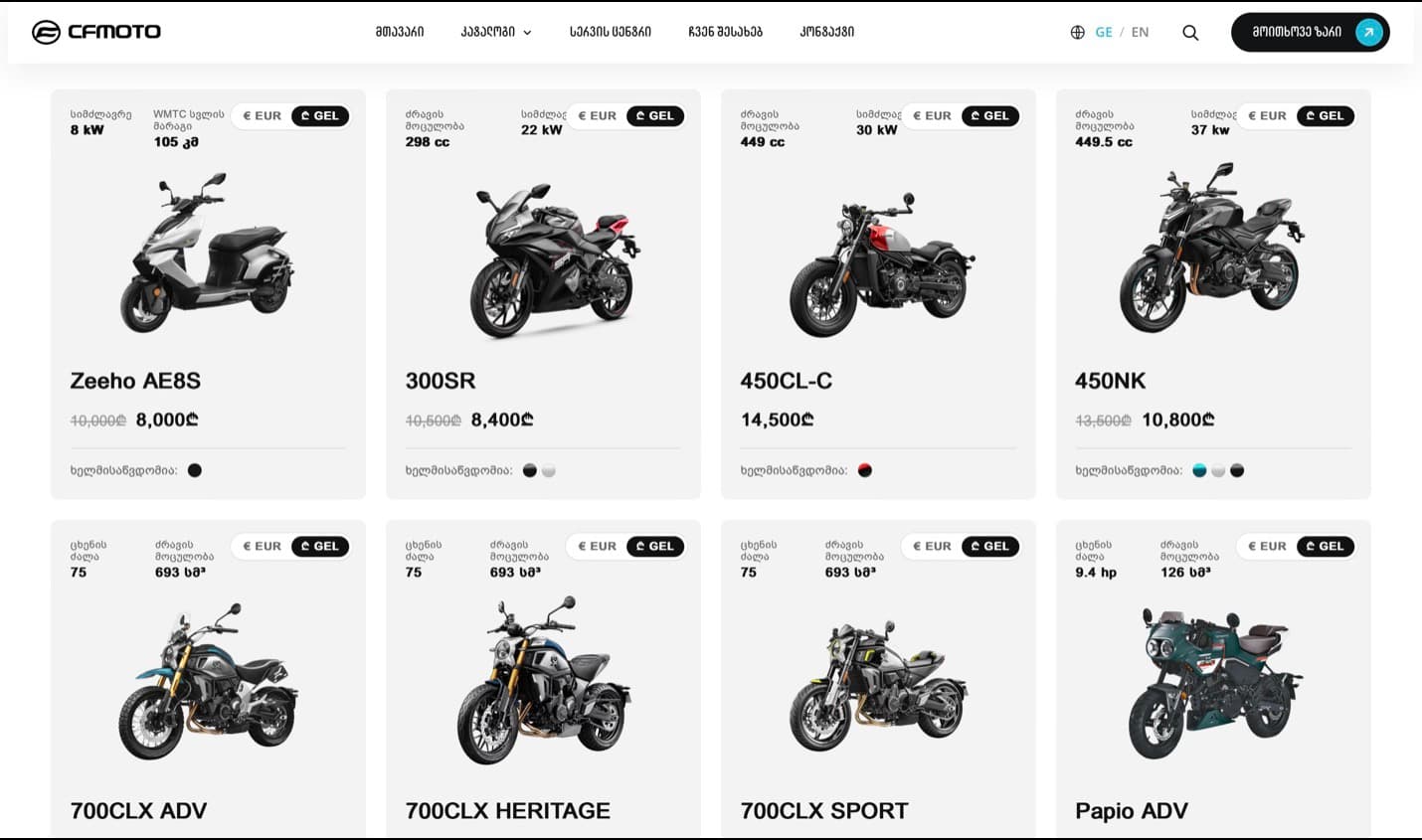
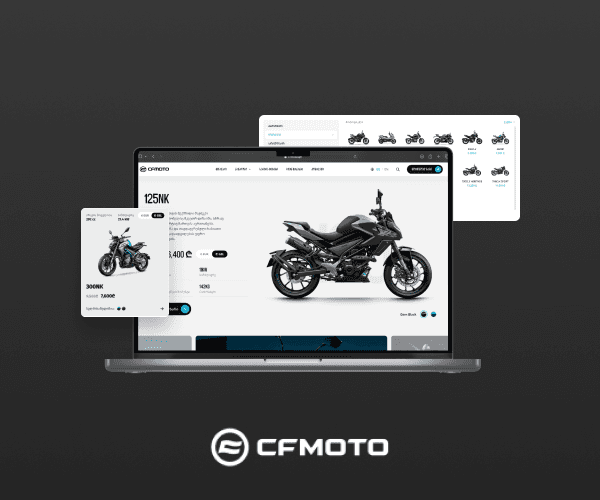
CFMOTO catalogue running on a structured content model
CFMOTO
0
developer tickets to publish
1
source for site, app and exports
1 session
to train your editors
The reframe

Every problem below has a line opposite it.

Your site today

Publishing waits on a developer.

Every change is a ticket in someone else's sprint, so the site tells last quarter's story.

Your team publishes.

Zero developer tickets for content, with roles and permissions that match how your org actually works.

The editor scares people.

A page builder with forty options, so everyone copies the last page and hopes.

Fields your team recognises.

Named in your language, ordered the way the work happens, constrained so an edit cannot break a layout.

The same content lives in five places.

A product exists on the site, in a PDF, in the app and in a spreadsheet, each slightly different.

One source, many surfaces.

Content modelled once and served through an API to the site, the app and anything else that needs it.

It got slow as it grew.

The library expanded and the site aged badly, because nothing was modelled for scale.

Fast on page four hundred.

Static rendering where content allows and incremental updates where it does not.

We can run headless on WordPress if your team already knows it — the front end is what changes.

Content modelling happens with your editors in the room, not in isolation.

Fixed scope after we have seen a real sample of what you publish.

In practice

Two things that decide it.

CFMOTO catalogue driven by a structured content modelFields, not pages
01

Content kept as fields outlives the design it was written for.

A record with named fields can be listed, sorted, translated, exported and laid out again without anyone retyping it. A page of formatted text can only ever be that page.

A redesign moves the layout, not the content.

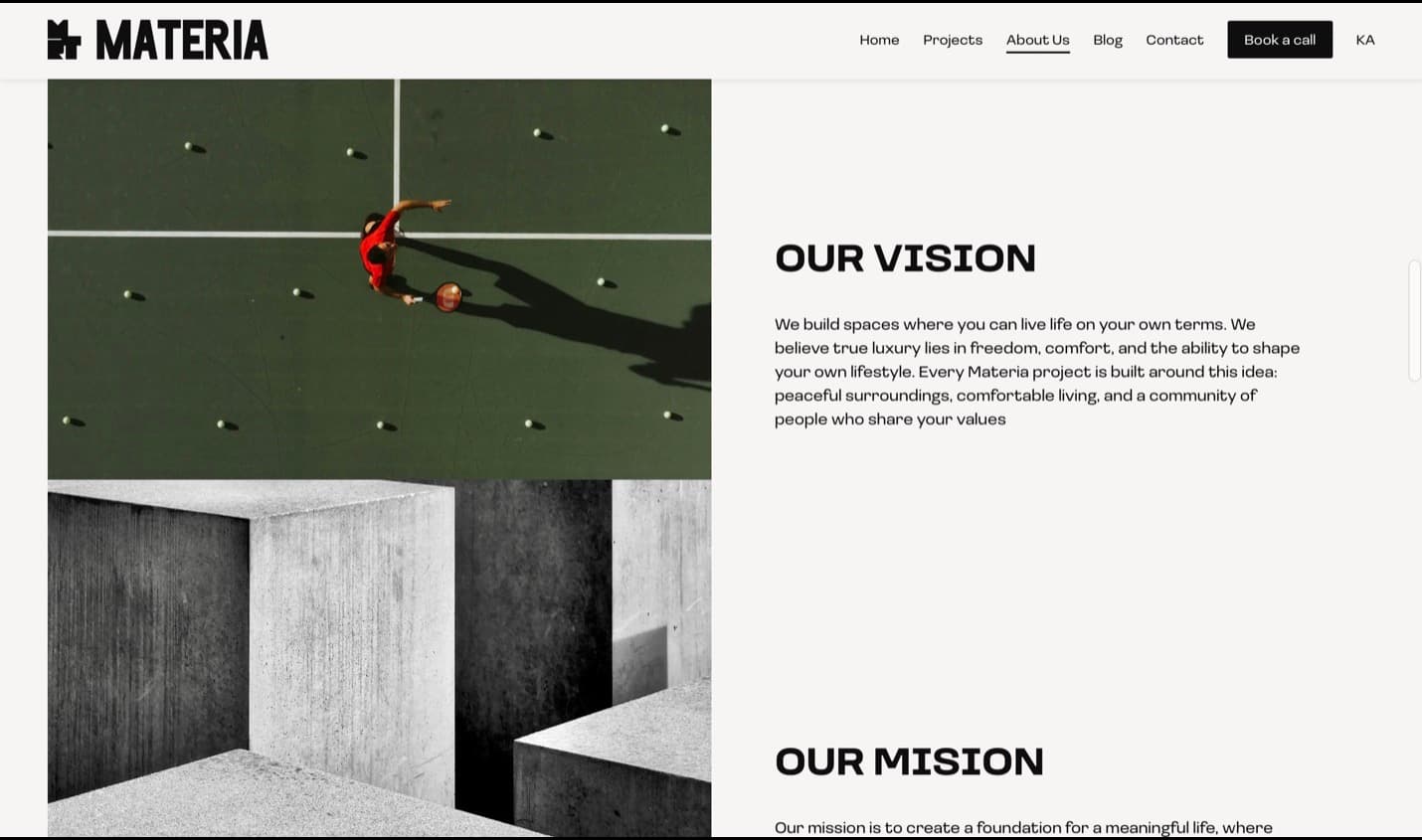
Materia's About page, rendered from structured contentThe editing screen
02

The people entering content should not have to know how the system is built.

Labels in your team's words, fields in the order the work happens, help text where a decision is needed. When a form fights people, updating what is already published stops first.

Nobody waits for a developer to fix a sentence.

Spec sheet

What ships, in numbers.

First website? This is the standard every build is measured against before we hand it over — the same one whether the job is a landing page or a platform.

90+

Lighthouse, mobile

The target every build ships against, verified before launch — not a promise you have to take on trust.

Performance
Sub-second first loadLighthouse 90+ on mobile, checked before launch
Design fidelity
Pixel-exact, every breakpointPhone, tablet, laptop, wide — not approximately
Motion
60fps, GPU-compositedNo jank, no layout shift, reduced-motion respected
Accessibility
WCAG AA contrastFull keyboard path and screen-reader labels
Browsers
Last two versionsSafari, Chrome, Firefox, Edge — plus real iOS devices
Languages
GE / EN / RULocalised routes and metadata, not a translate widget
Search
Schema, sitemap, metadataStructured so answer engines can quote you
Ownership
Yours on day oneCode, CMS and domain in your accounts, not ours
How it works

Eight steps, no surprises.

The full process
  1. 01

    Intro call

    Thirty minutes. A straight answer and a budget range.

  2. 02

    Discovery

    We map the problem and write the scope.

  3. 03

    Design & build

    Weekly demos, a staging link from week one.

  4. 04

    Launch & after

    Live, tracked, and still ours to look after.

Shipped with
FAQ

Asked and answered.

Still unclear? The intro call costs thirty minutes and commits you to nothing.

A headless CMS stores and manages content without controlling how it looks. The content is served through an API to whatever needs it — a Next.js website, a mobile app, a screen in a shop — so the same product description can appear in several places without being retyped.

WordPress is fine, and often better, when your team knows it and the content only ever appears on one website. Headless earns its keep when the same content feeds several surfaces, when the editing team is large enough to need real roles, or when speed at scale matters. We will tell you which case you are in rather than selling the more expensive one.

Yes. WordPress can run headless — your team keeps the admin they know while a Next.js front end serves the pages. It is a common middle path when retraining editors would cost more than it returns.

The one that fits the team and the content. We work with headless platforms behind Next.js as well as WordPress, and the decision comes out of the content modelling session, not from a preferred vendor.

One session is usually enough, because the editor is built around your workflow rather than a generic page builder. You also get a written handover so a new hire can learn it without booking us.

Yes. Preview before publish is standard in everything we build, so nobody has to publish to production to find out how a page looks.

Content modelling takes one to two weeks, and the build usually runs alongside the front end for another four to eight depending on how many content types exist. Migrating a large existing library is the part that most often extends the timeline.

Yes, and we script it rather than copying by hand where the source allows. Messy legacy content is the honest risk to timeline, so we sample it early and tell you what cleanup it needs.

Start a project

Tell us what you are building.

Thirty minutes, no pitch deck. Describe the problem and we will tell you what it takes to solve it — scope, budget range, timeline — even if the answer is that you do not need us.

Phone (optional)
What are you building?

We reply within 24 hours.