Services · Software, not pages

Custom web applications your business actually runs on.

Vebses builds custom web applications in Tbilisi — marketplaces, booking and rental platforms, structured catalogues and internal tools. Not a site that describes your business: the system it runs on, where people log in, records change state, and the process is enforced instead of remembered.

4
applications in the archive
Day one
code and database in your name
Per phase
scope fixed before it is priced
Before anything else

Is it a website or a web app?

A website presents information. A web app does work. If people log in, if records change state, if permissions decide who sees what, or if money moves inside it, you are commissioning an application — and it needs a data model, not a page structure.

Who logs in?

A website

Nobody. Everyone sees the same pages.

A web app

Staff, customers or partners, each seeing a different slice.

What changes?

A website

The content, when somebody publishes.

A web app

Records — a status, a stock level, a booking, a price.

Who is allowed?

A website

Not a question the site has to answer.

A web app

The whole design. Who approves, who edits, who can only read.

Does money move?

A website

You get an enquiry and take it from there.

A web app

Payments, invoices or deposits happen inside the system.

Most projects that reach us as a website request have an application hiding inside them. If all four answers came out on the left, you want a marketing site or a headless CMS, and we will tell you so on the call.

The reframe

Every problem below has a line opposite it.

Your site today

The work happens in spreadsheets.

The real process lives in a file somebody emails around, and only one person understands the tabs.

The process becomes the software.

The steps your team already follows, modelled properly, with the rules enforced instead of remembered.

Two systems, two truths.

The site says one thing, the back office says another, and the fix is somebody re-typing numbers.

One source of truth.

Everything reads and writes to the same place, so the website, the phone and the reports always agree.

Everyone can see everything.

Access is a conversation rather than a rule, so the only way to protect anything is to keep it out of the system.

Roles that match the org chart.

What a supplier sees, what a manager approves, what finance can export and never edit — decided per person, not per department.

Half the real work is exceptions.

The tool handles the clean case, so the refund, the split delivery and the awkward customer go back into a spreadsheet beside it.

The exception path is designed.

The awkward cases are modelled on purpose, which is the difference between a tool people use and one they work around.

Growth broke it.

It worked for a hundred records and crawls at fifty thousand, because nothing was modelled for scale.

Built for the second year.

Data modelled and indexed for the volume you expect, not the volume you launched with.

Discovery is longer here: we map the process before we price the build.

Fixed scope per phase, so a platform can start small and grow on evidence.

You own the code and the database from day one.

The shape of the problem

Most businesses run on eight things that do not talk.

How it usually is
SiteSheetCRMInboxStockPOSDocsChat

A site here, a spreadsheet there, a CRM nobody updates. Every pair of tools needs its own bridge, and the person maintaining those bridges is usually somebody re-typing numbers by hand.

How we build it
WebMobileAdminReportsPartnersFinanceOnesystem

One place where the data actually lives, and every surface — the public site, the phone, the back office, the reports — reading from and writing to that same place.

The evidence

Show your working.

Four crops from applications we built, each read back literally — and each with the limit of what it proves printed next to it, in the same size type.

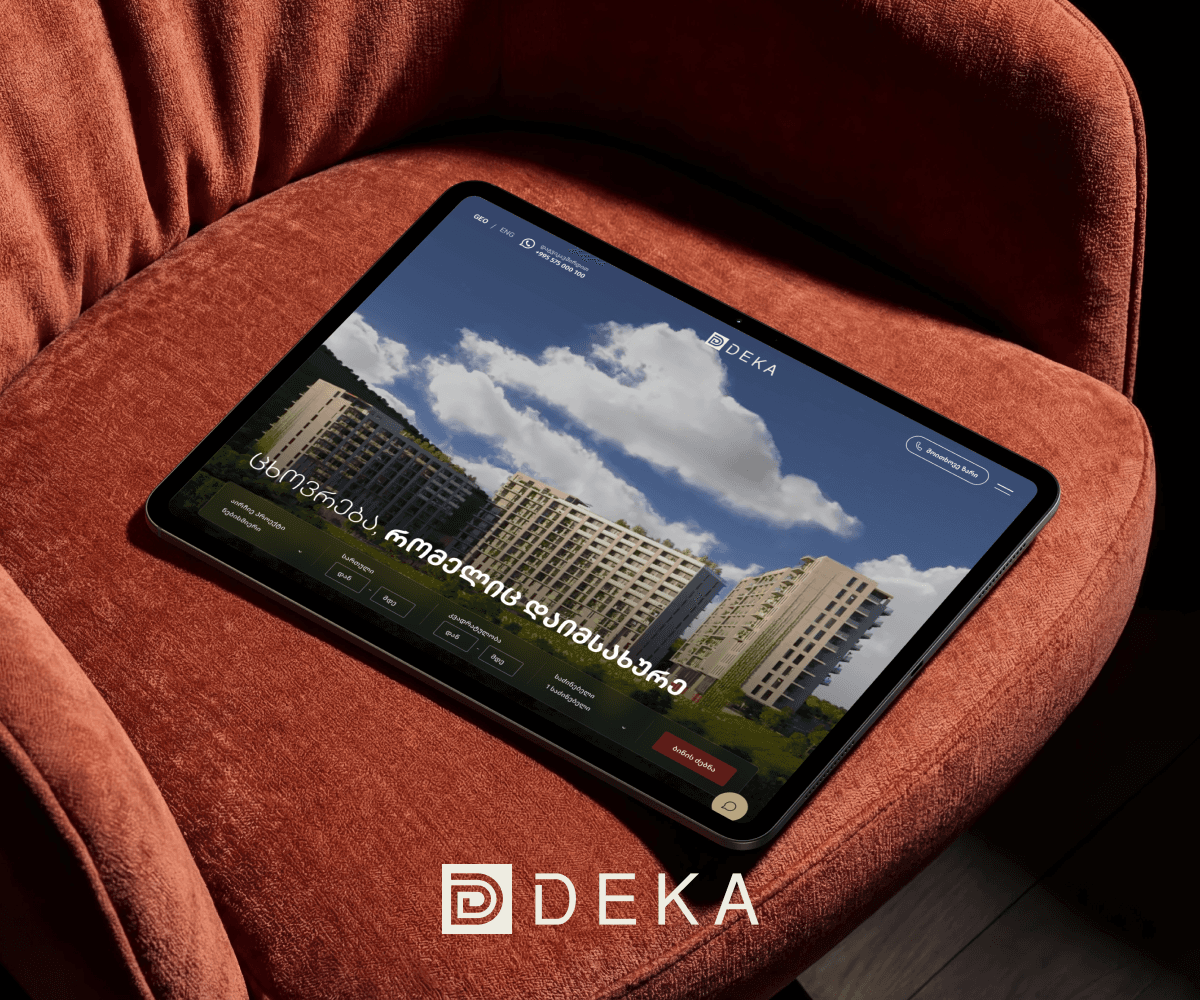
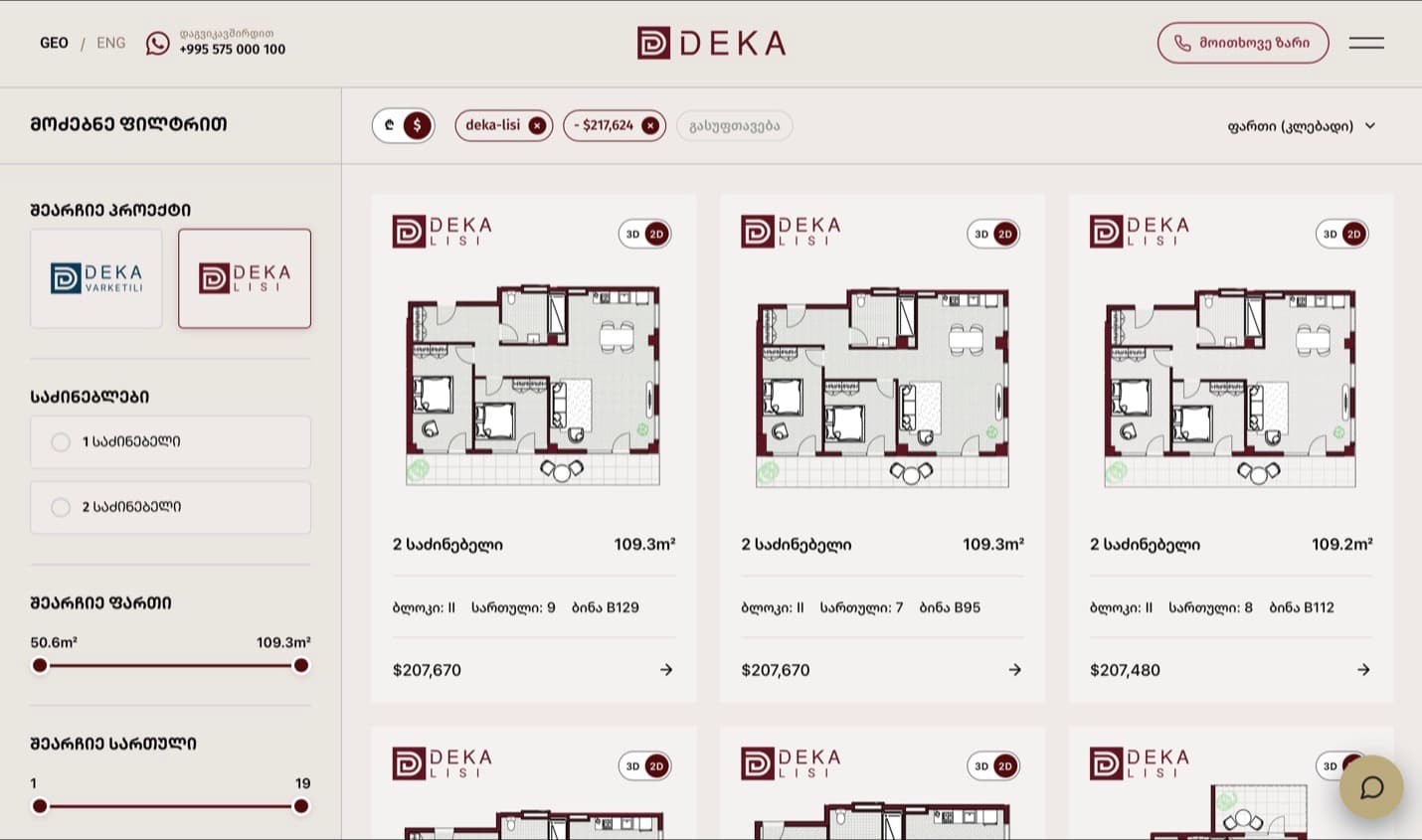
Deka apartment search: a filter rail with bound range sliders, active filter chips and a sorted result grid
01Deka Development

A search with real values behind it.

What this shows

  • A project chooser as two logo tiles, DEKA LISI selected
  • An area slider bound to 50.6–109.3 m², a floor slider bound to 1–19
  • Removable filter chips reading “deka-lisi ×” and “− $217,624 ×”
  • A sort dropdown set to ფართი (კლებადი) — area, descending
  • Result cards each carrying block, floor, unit number and price

What it does not show

This is the public search. The admin that maintains this inventory belongs to the client and is not published here.
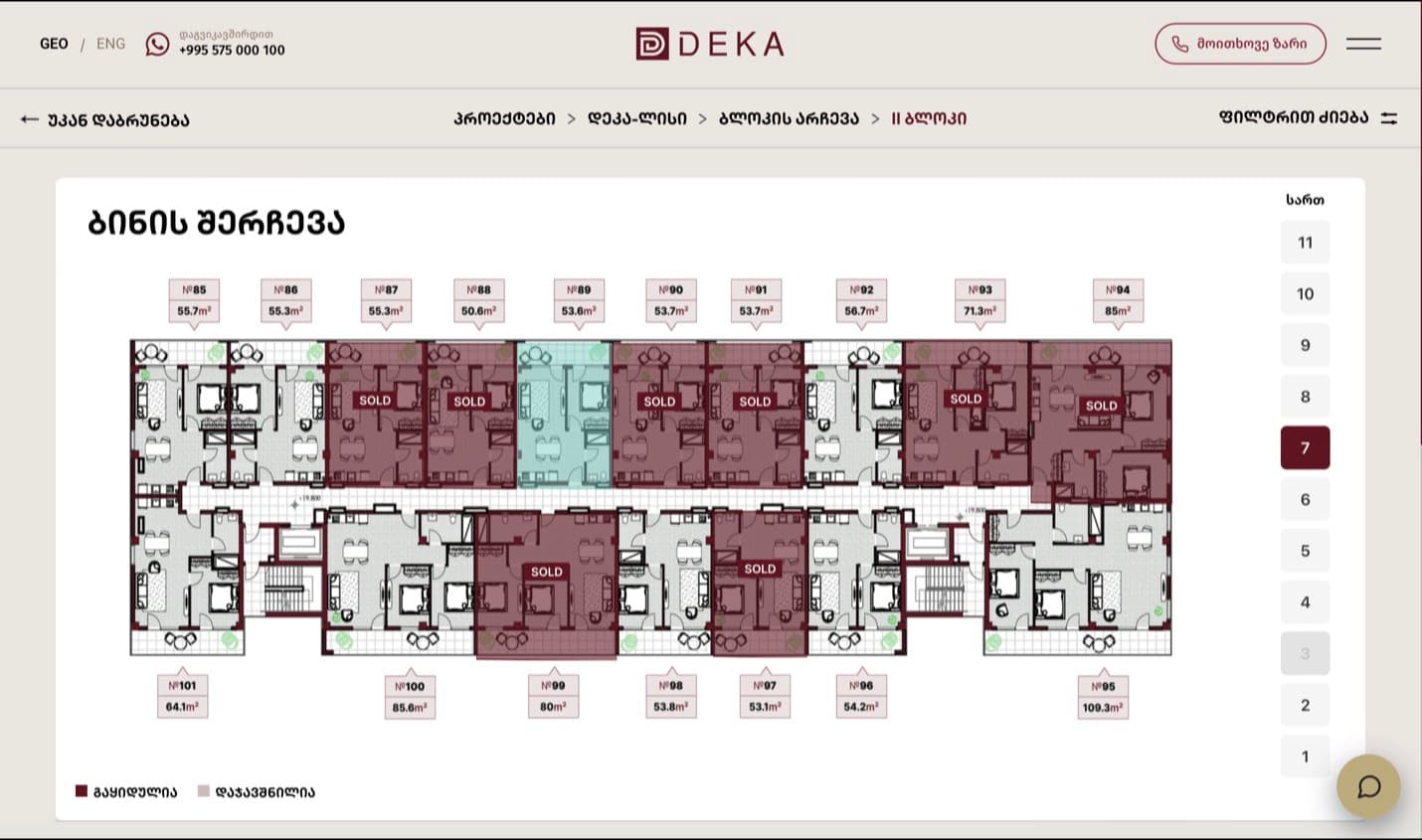
Deka floor plan: units stamped SOLD, one highlighted, a floor rail with one floor disabled, and a sold/reserved legend
02Deka Development

Availability as a state, not a label.

What this shows

  • Units №85–№101, each with its own m², eight stamped SOLD
  • One unit highlighted in mint against the sold and available fills
  • A floor rail 1–11 with floor 7 active and floor 3 rendered disabled
  • A legend reading გაყიდულია / დაჯავშნილია — sold / reserved
  • A breadcrumb: Projects → Deka-Lisi → Choose block → Block II

What it does not show

Three states and a disabled option are what the interface renders. We are not claiming what the occupancy actually was on any given day.

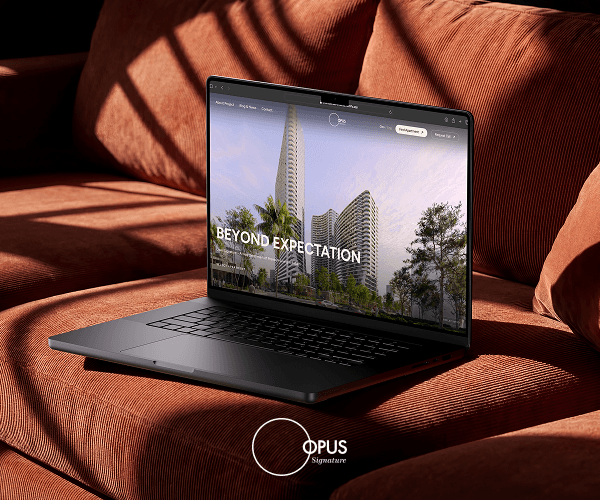
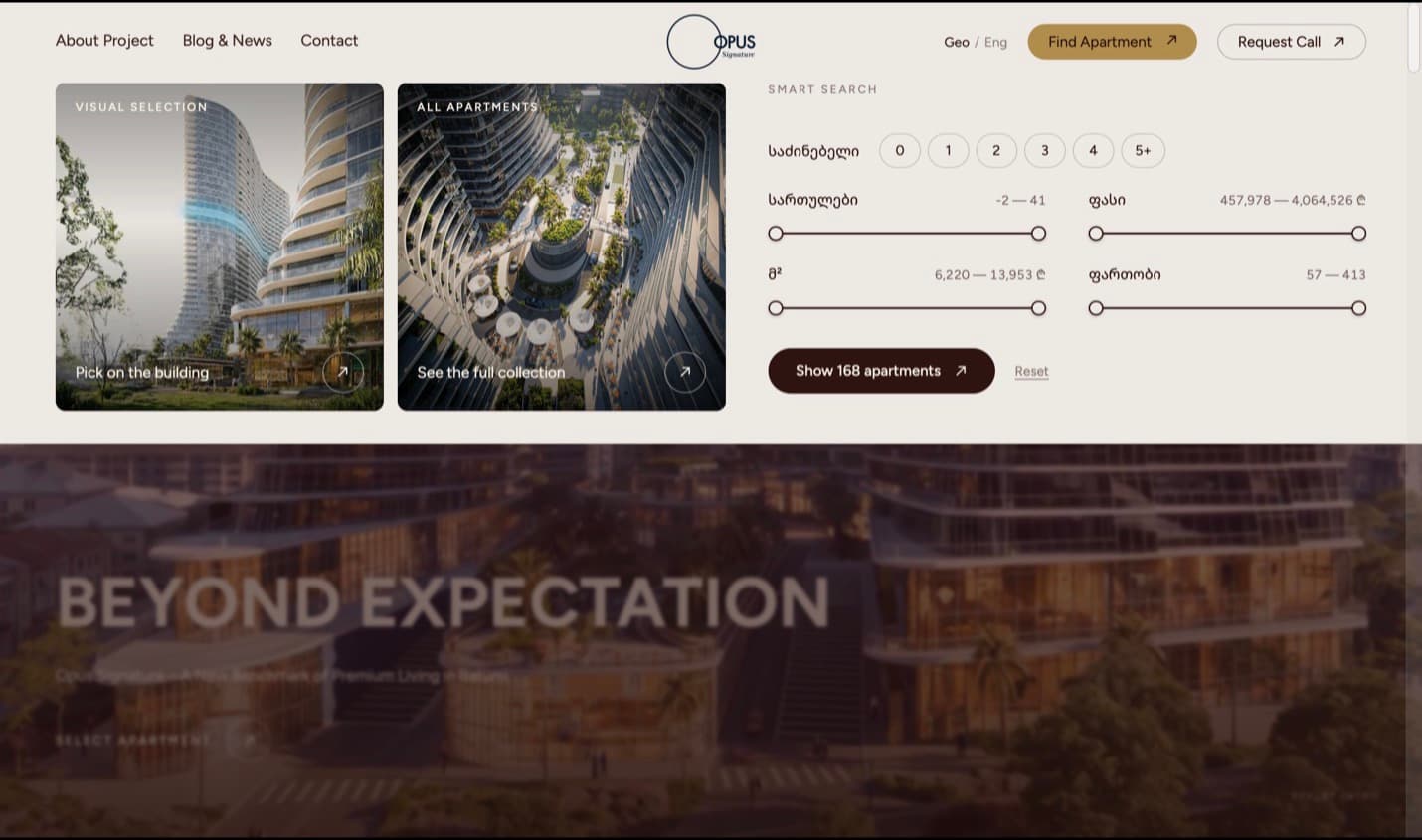
Opus Signature smart search: a bedroom segmented control, four bound range sliders and a submit button reading Show 168 apartments
03Opus Signature

The search knows the answer before you click.

What this shows

  • A bedrooms segmented control running 0, 1, 2, 3, 4, 5+
  • Floors bound to −2 – 41; price to 457,978 – 4,064,526 ₾
  • Price per m² bound to 6,220 – 13,953 ₾; area to 57 – 413
  • A submit button that reads “Show 168 apartments”
  • A Reset control beside it

What it does not show

A count bound to the query is the clearest evidence in this archive that a search runs rather than decorates. Elsewhere in the same product a caption reads “Mapping shown for one residence,” and one listing view carries placeholder cards — so we call this a finder that is demonstrably built, not a finished inventory.

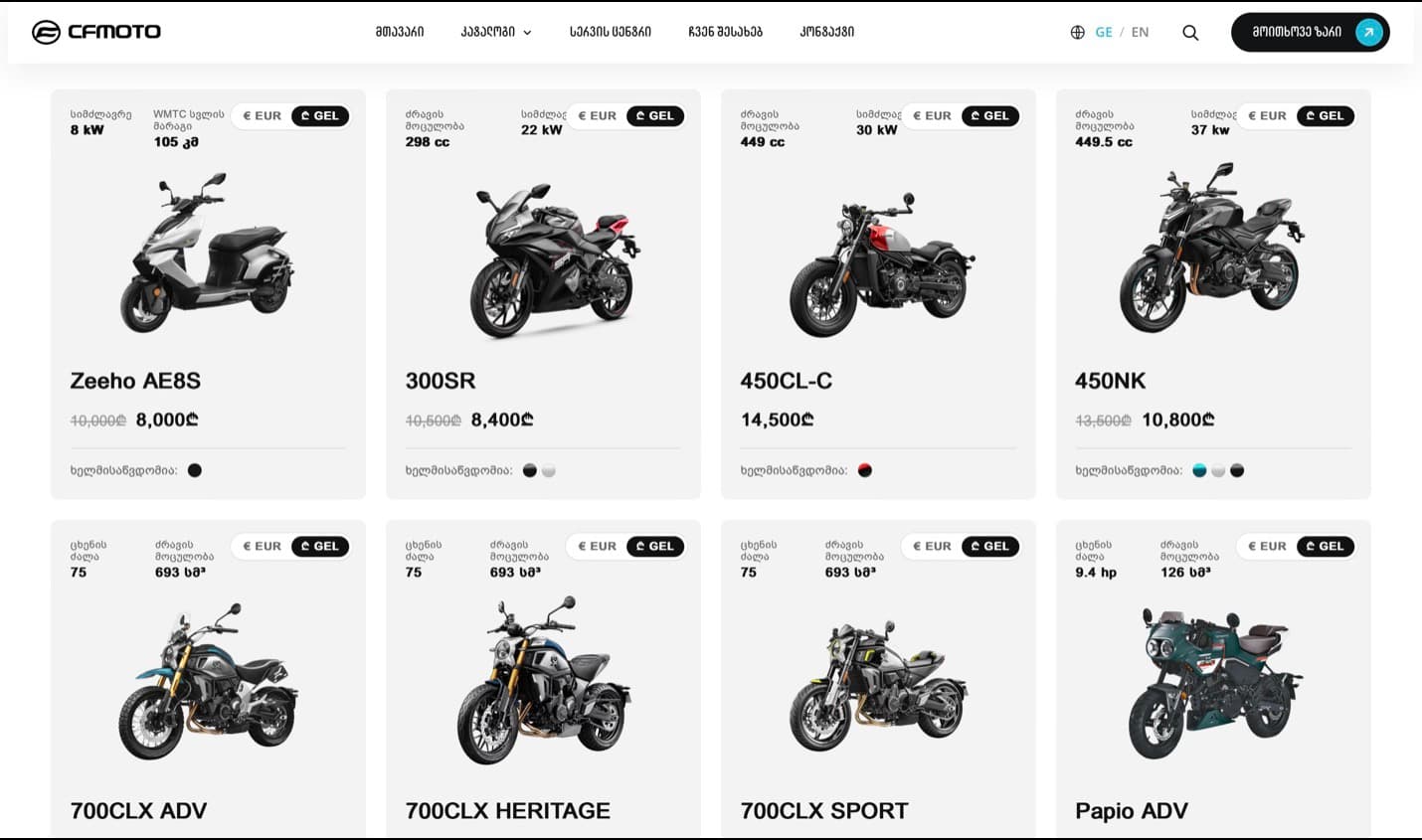
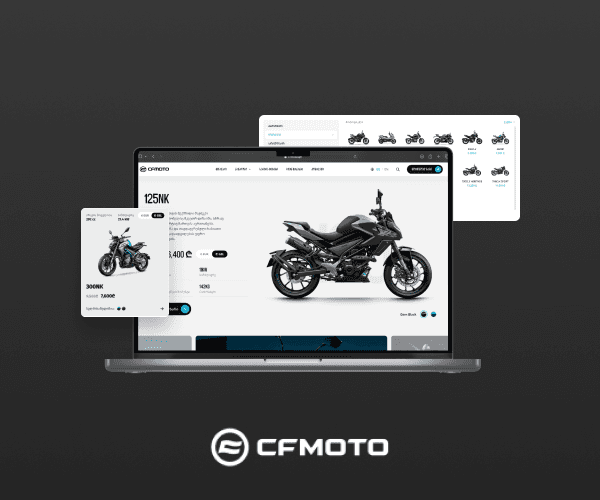
CFMOTO catalogue rendered in Georgian, with Georgian navigation and Georgian spec labels on every card
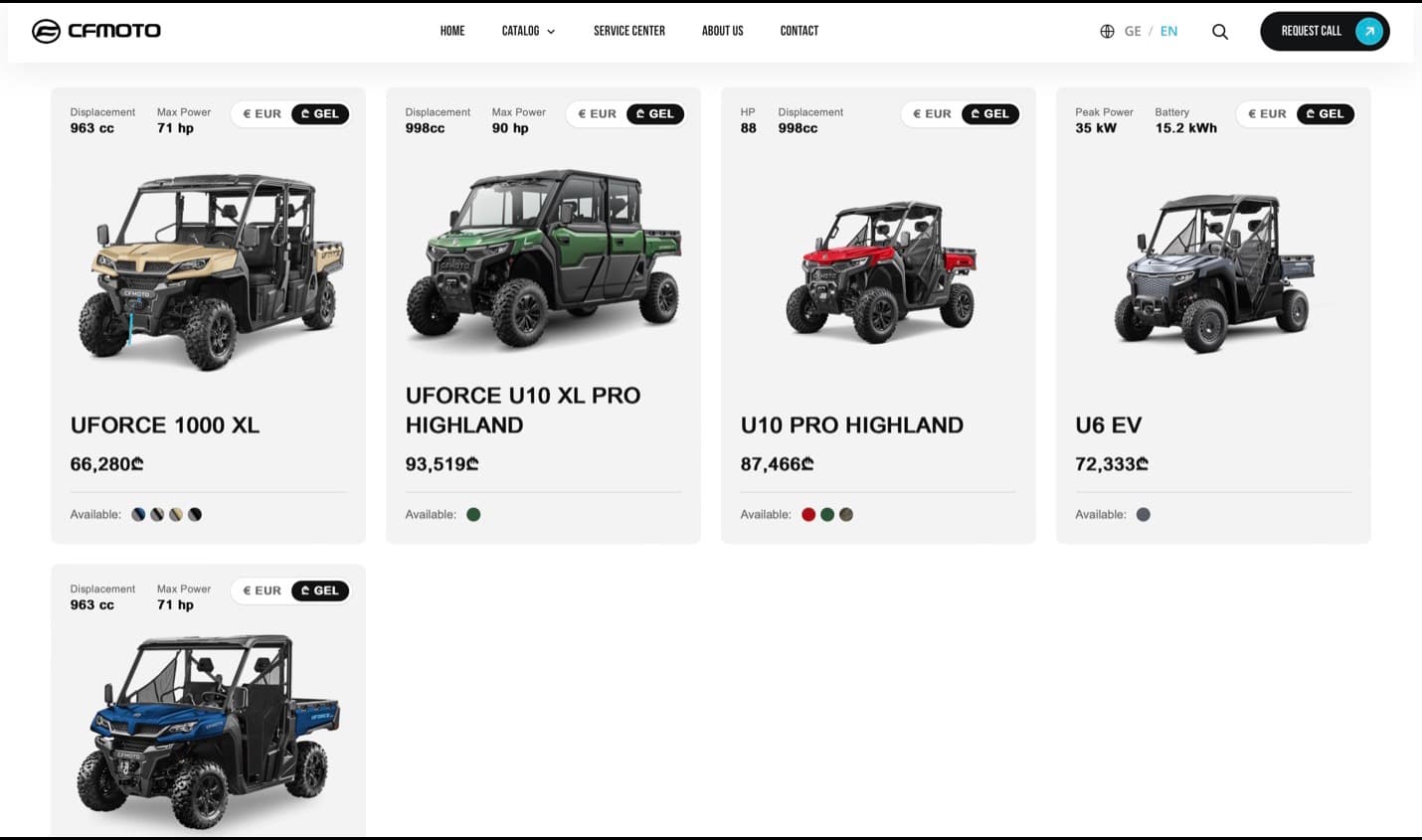
The same CFMOTO catalogue component rendered in English, with English navigation and English spec labels
04CFMOTO

Two languages, one component.

What this shows

  • The same card anatomy in both: two spec fields, price, colour row
  • Navigation in Georgian, then HOME / CATALOG / SERVICE CENTER / ABOUT US
  • Spec labels translated too — ძრავის მოცულობა becomes Displacement
  • A € EUR / ₾ GEL toggle on every individual card, in both
  • Was-and-now pricing where a model is discounted

What it does not show

The two frames show different categories, so this is one component in two languages rather than one page translated. No cart, no checkout and no account appears anywhere in this set — it proves catalogue, variants and localisation, not transactions.

Everything above is cropped from a build we shipped and captioned with what is literally on screen. Where a screen showed placeholder data or an unfinished mapping, we said so.

The honest answer first

Build, buy, or extend what you have.

Custom software is the right answer less often than agencies imply. Here is how we decide, including the cases where we tell you to buy something instead.

Buy

When a proven product already covers the workflow, and the workflow is not what makes you money.

  • A normal product catalogue — Shopify does this better than we would
  • A small internal register a few people update — Airtable or Notion
  • Standard appointment booking with nothing unusual about it
  • Off-the-shelf course delivery, if your courses fit its shape

Extend

When a platform gets you most of the way and what is missing is a connection, not a product.

  • The tool is right but it cannot talk to the system holding your data
  • You need one screen the platform will never build for you
  • Reporting is the only genuine gap
  • You are one workflow away, and that workflow is well defined

Build.

When the way you work is the thing you compete on, and no product models it.

  • The process is the business, and every tool makes you bend it
  • A product covers part of it and the rest becomes manual work
  • Per-seat pricing scales against you as the team grows
  • The data cannot sit in somebody else's account
  • Two sides need different views of the same record

Tell us the workflow on a call and we will name the product we would buy instead, if one exists. That answer is free and it happens more often than you would expect.

What we get asked to build

Four shapes this usually takes.

01

Marketplaces.

Two sides who need different things from the same record: listings, verification, and the moment a buyer contacts a seller. The hard part is never the listing page — it is the cold start, and we would rather plan for it than ship into it.

Mycorner.ge — named, not screenshotted; the archive holds only its cover.

02

Booking & rental.

Availability across a date range, which is a harder data problem than it looks: double-booking, deposits, handover and return, and the awkward business of what happens when something comes back late or not at all.

Cars-Rent.ge — pick-up, drop-off, dates and a filtered result set, on its cover.

03

Catalogues & inventory.

Thousands of records with variants, filters bound to the values that actually exist, and availability shown as a state rather than a label. This is the shape we have the most captured evidence for.

Deka Development and CFMOTO — both cropped and captioned above.

04

Internal tools.

The spreadsheet's replacement. One place where the rules are enforced instead of remembered, built so the person who does the job by hand today can run it without ringing us.

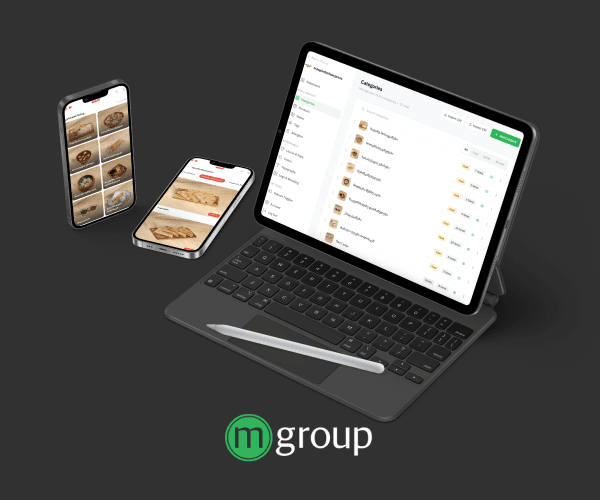
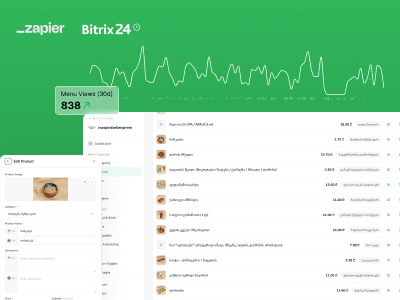
Mgroup Menu System — a back office feeding a customer-facing menu.

Spec sheet

What ships, in numbers.

The same standard applies to an application as to a site — measured before handover, not asserted after it.

90+

Lighthouse, mobile

The target every build ships against, verified before launch — not a promise you have to take on trust.

Performance
Sub-second first loadLighthouse 90+ on mobile, checked before launch
Design fidelity
Pixel-exact, every breakpointPhone, tablet, laptop, wide — not approximately
Motion
60fps, GPU-compositedNo jank, no layout shift, reduced-motion respected
Accessibility
WCAG AA contrastFull keyboard path and screen-reader labels
Browsers
Last two versionsSafari, Chrome, Firefox, Edge — plus real iOS devices
Languages
GE / EN / RULocalised routes and metadata, not a translate widget
Search
Schema, sitemap, metadataStructured so answer engines can quote you
Ownership
Yours on day oneCode, CMS and domain in your accounts, not ours
How it works

Eight steps, no surprises.

The full process
  1. 01

    Intro call

    Thirty minutes. A straight answer and a budget range.

  2. 02

    Discovery

    We map the problem and write the scope.

  3. 03

    Design & build

    Weekly demos, a staging link from week one.

  4. 04

    Launch & after

    Live, tracked, and still ours to look after.

Shipped with

If that is not your problem.

FAQ

Asked and answered.

Still unclear? The intro call costs thirty minutes and commits you to nothing.

You do, from the first commit rather than at handover. The repository is created in your organisation, and the hosting, database and domain accounts are opened in your name — so leaving is a matter of removing our access, not of asking for a delivery. There is no proprietary framework you would be unable to take elsewhere.

The drivers are how many roles the system has, how many flows carry real value, how many integrations are needed, and whether your existing data is clean or has to be cleaned first. Discovery produces a written scope, a data model, a screen list and a price broken down by phase — and you keep that document whether or not you build with us.

Typically eight to sixteen weeks to a first working version, depending on the number of roles and flows. There is a staging link from the first week and a fixed weekly point where you see working software and make a decision, so the timeline is something you watch rather than something you are told about afterwards.

That is usually the point. In discovery we identify which system currently holds the truth — an accounting package, a POS, a warehouse sheet — and scope each integration once we have actually seen it. Georgian bank card gateways we have shipped; anything else we quote after looking rather than before.

Because the admin surfaces belong to our clients and we do not publish them. What we publish instead is the evidence section on this page: real crops from real builds, captioned with what is literally on screen and with the limits stated. On a call, with the client's permission or on dummy data, we will screen-share one.

Someone who worked on the build answers, on a channel agreed before launch, and a retainer states plainly what it covers and what it does not — so nobody discovers the boundary during an incident. If you ever want to leave, you already hold the accounts, and we hand over an architecture note, the data model and a session with the developer who built it.

Start a project

Tell us what you are building.

Thirty minutes, no pitch deck. Describe the problem and we will tell you what it takes to solve it — scope, budget range, timeline — even if the answer is that you do not need us.

Phone (optional)
What are you building?

We reply within 24 hours.